
Nest your cut files.
Waste less vinyl.
Drop in an SVG, PDF or AI file. MODZGPX Nesting packs your stickers and die lines by their real outlines, not bounding boxes, and gives you a clean file ready to cut.
Runs in your browser · nothing to install · Illustrator panel and CorelDRAW macro also available
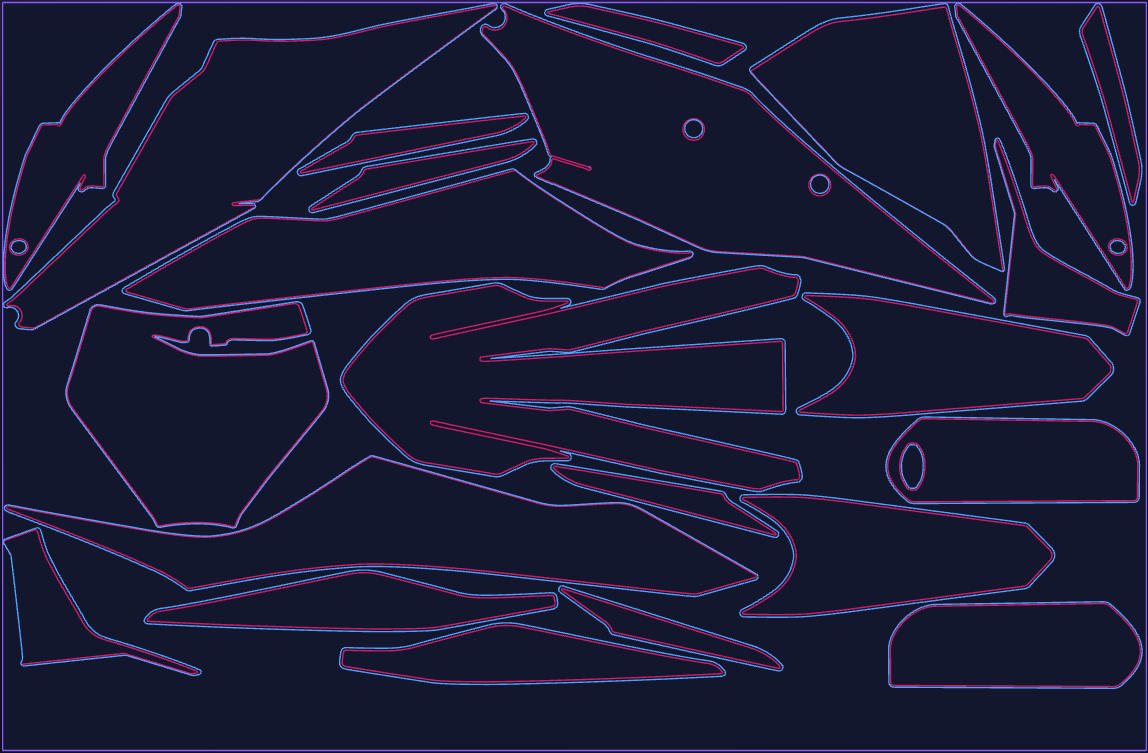
Built for sticker and decal production
The details a cut shop actually cares about: cut lines, sheet sizes, rotation and clean output.
True-shape packing
The engine nests the actual outlines, so small parts tuck into the gaps of bigger ones.
Cut-line aware
Clipping masks and cut-line strokes (1.5–5.5 mm) are paired with their artwork and move together.
Multi-sheet
More parts than one sheet holds? The rest flows to the next sheets automatically.
Rotation control
No rotation, or any angle in steps from 90° down to 5°, to keep the grain or squeeze in more parts.
Selection or artboards
Nest only the shapes you click, or nest every artboard of a PDF as its own group.
Per-part settings
Right-click a shape to exclude it, fix its angle, simplify its outline or nest it last.
Saved profiles
Keep a setup per material and reload it in one click. Profiles are shared with the Illustrator and CorelDRAW tools.
Clean export
Download SVG, PDF or EPS: one file with every sheet side by side and the sheet frames included.
Reads your files
SVG, PDF and Illustrator (.ai) files. Hidden layers are skipped.
Upload, nest, download
Upload your file
Drop an SVG, PDF or AI file. Set the sheet size, spacing and rotation.
Calculate
Preview every sheet and its packed percentage before you commit to anything.
Download
Get one SVG, PDF or EPS with all sheets, named after your upload and ready for the cutter.
Same engine, three ways to work
In the browser
Open the app, upload and nest. Works on any computer.
Adobe Illustrator
A panel that takes your selection, nests it and applies the layout in place, with revert.
CorelDRAW
A macro with a true-shape nesting panel and the same shared profiles.
Pay for what you use
Nest and preview for free. You only pay when you download.
Questions
Do I need to install anything?
No. The web app runs in your browser. The Illustrator and CorelDRAW tools are optional.
What is the difference from bounding-box nesting?
Bounding-box nesting treats every part as a rectangle and leaves dead space. True-shape nesting uses the real outline, so parts fit into each other.
Which files can I upload?
SVG, PDF and Illustrator (.ai) files.
What do I get back?
One SVG, PDF or EPS with all sheets side by side, so Illustrator and CorelDRAW open every sheet, not only the first page.
Can I preview before paying?
Yes. Nesting and preview are free; the download is what uses a credit.
Ready to save material?
Open the app, drop in your file and see the result in seconds.