
Make small images
sharp and big.
Upscale photos, artwork and anime 2x or 4x with AI that restores edges and detail, right in your browser.
Runs in your browser · nothing to install · PNG, JPG or WEBP output
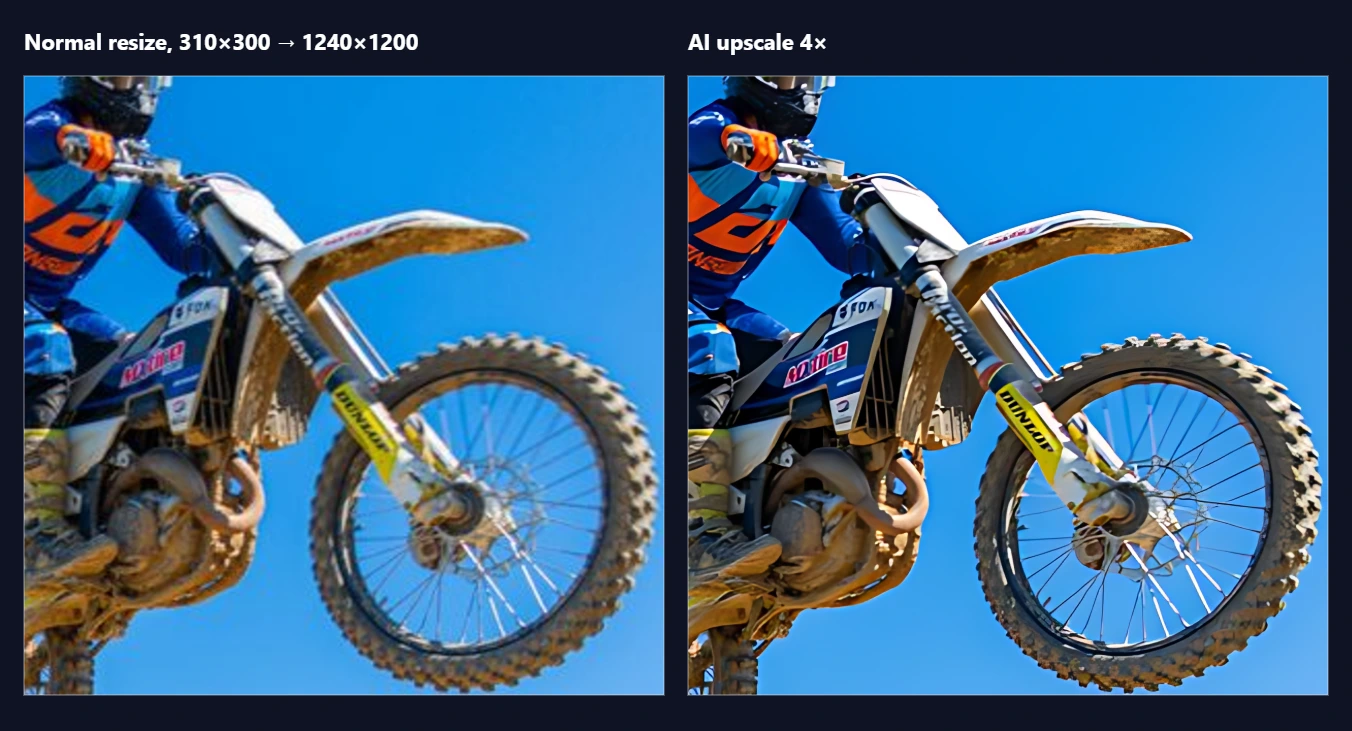
Sharper results, without leaving the browser
Real-ESRGAN models run locally on your device, so your images stay with you.
2x or 4x
Pick the scale you need. Output goes up to 16384 px or 64 megapixels.
Two AI models
Use the general model for photos and the anime model for illustrations and cartoons.
Before and after
Compare the original and the result with a slider, and zoom to 1:1 to check the detail.
Batch queue
Add many images and upscale them one after another. Several results download as one ZIP.
Keeps transparency
PNG alpha channels are upscaled too, so cut-outs keep clean edges.
Large images
Images are processed in tiles with overlap, so big files work without visible seams.
PNG, JPG or WEBP
Download in the format you need.
Private by default
The AI runs in your browser, so your image is not sent to a server to be processed.
Great before vectorizing
Upscale a small logo first, then trace it with the Vectorizer for cleaner curves.
Upload, upscale, download
Upload your images
Drop one image or a whole batch. Choose the model and the scale.
Upscale
Watch progress per image and compare before and after.
Download
Save a PNG, JPG or WEBP, or a ZIP when you upscaled several.
Pay for what you use
Preview for free. You only pay when you download. Credits and the 30-day plan are shared with Nesting, Vectorizer and Upscaler.
Questions
Do I need a powerful computer?
A recent computer with a GPU works best. It also runs without one, just more slowly.
Are my images uploaded to a server?
No. The AI model runs in your browser. Only a short fingerprint of the file is sent to check your credits.
Which model should I use?
General for photos and real-world images, Anime for drawings, illustrations and cartoons.
How big can the result be?
Up to 16384 px on a side or 64 megapixels in total.
Can I preview before paying?
Yes. Upscaling and the comparison are free; the download is what uses a credit.
Ready to upscale?
Open the app, drop in your image and compare the result.